By using this site, you agree to the Privacy Policy and Terms of Use.
Accept
Blog MasterBlog MasterBlog Master
  • Home
  • Privacy Policy
  • Disclaimer
  • About Us
  • Contact Us
  • Business
  • Lifestyle
  • Technology
Search
  • Home
  • Privacy Policy
  • Disclaimer
  • About Us
  • Contact Us
  • Business
  • Lifestyle
  • Technology
© 2022 Foxiz News Network. Ruby Design Company. All Rights Reserved.
Reading: Successful Blogging Tips to Build a Blog People Return To
Share
Notification Show More
Font ResizerAa
Blog MasterBlog Master
Font ResizerAa
Search
  • Home
  • Privacy Policy
  • Disclaimer
  • About Us
  • Contact Us
  • Business
  • Lifestyle
  • Technology
Follow US
  • Home
  • Privacy Policy
  • Disclaimer
  • About Us
  • Contact Us
  • Business
  • Lifestyle
  • Technology
© 2022 Foxiz News Network. Ruby Design Company. All Rights Reserved.
Blog Master > Blog > Successful Blogging Tips to Build a Blog People Return To
Blog

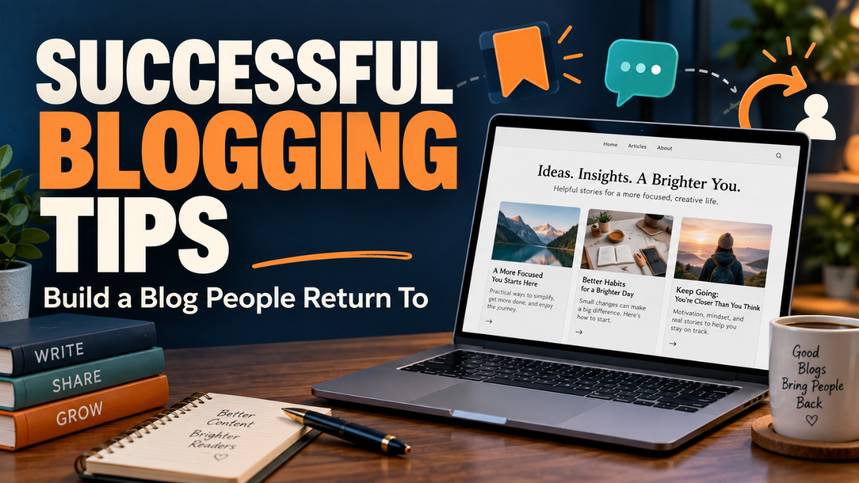
Successful Blogging Tips to Build a Blog People Return To

Blogmaster
Last updated: 2026/09/10 at 7:56 AM
Blogmaster
Share
Successful Blogging Tips
SHARE

You publish a post, share the link, and check your traffic the next morning. A few visits appear. Then everything goes quiet. It’s tempting to assume you need a better theme, more articles, or whatever strategy another blogger just recommended.

Contents
Table of ContentsGive Your Blog a Clear JobChoose Topics Around Real ProblemsMake Every Post Worth the ClickAdd Details Readers Can’t Find EverywhereKeep SEO Useful and StraightforwardSet a Publishing Pace You Can MaintainMake Your Blog Comfortable to ReadHelp Each Post Reach the Right PeopleMeasure Progress Against Your GoalKeep Improving What You Already HaveBuild a Blog You Can Keep Showing Up For

Sometimes, though, the problem is simpler: people haven’t been given a clear reason to choose your blog or come back.

The most useful successful blogging tips help you strengthen that reason. They connect what you know with what readers need, then make the whole experience worth their time. That takes patience, but it doesn’t require an endless publishing schedule or a complicated setup.

Start with a clear purpose. The other decisions become much easier.

Table of Contents

  • Give Your Blog a Clear Job
  • Choose Topics Around Real Problems
  • Make Every Post Worth the Click
  • Add Details Readers Can’t Find Everywhere
  • Keep SEO Useful and Straightforward
  • Set a Publishing Pace You Can Maintain
  • Make Your Blog Comfortable to Read
  • Help Each Post Reach the Right People
  • Measure Progress Against Your Goal
  • Keep Improving What You Already Have
  • Build a Blog You Can Keep Showing Up For

Give Your Blog a Clear Job

A blog needs a purpose more specific than “share useful information.” Useful to whom? And what should that information help them do?

A technology blog might help freelancers choose affordable equipment. A food blog could focus on quick dinners for people cooking in small kitchens. Both have room for plenty of topics, but there’s a clear thread holding everything together.

Try describing your blog in one sentence: “I help this type of reader solve this kind of problem.”

You don’t have to display that sentence on your homepage. Use it to make decisions. When a tempting topic comes along, ask whether it serves the person you’ve described.

Also decide what success means for you. Building a portfolio, attracting customers, and earning advertising income are different goals. Your priorities should reflect that.

Choose Topics Around Real Problems

A broad subject gives you somewhere to start. A specific problem gives you a useful post.

“Home office equipment” is a subject. “How to connect two monitors to a laptop with one HDMI port” is a problem someone wants solved.

Look for those moments of friction. Notice questions in relevant communities, conversations with customers, and comments on your own posts. Keep a simple record of the wording people use.

Before committing to a topic, ask what the reader should understand or be able to do afterward. If the answer feels vague, narrow the idea.

Consider the reader’s situation, too. Someone researching their first camera needs different explanations from someone replacing professional equipment. The same product category can contain very different needs.

A smaller, well-defined question often gives you more room to be helpful.

Make Every Post Worth the Click

Your headline makes a promise. The opening should begin delivering on it.

If the title offers ways to organize browser bookmarks, readers don’t need several paragraphs about the history of the internet. They need to recognize their problem and see a practical direction.

Give the central answer early, then explain the details that help someone use it properly. A reader who gets an answer quickly may still stay for examples, limitations, or the next step.

Headings should help someone find their place. “What to Check Before Buying” tells readers more than “Important Considerations.”

Be honest about the scope of your advice. If an approach works best for small blogs, say so. If a solution requires a paid feature, mention that before sending someone through a lengthy setup.

Those small courtesies make a post feel dependable.

Add Details Readers Can’t Find Everywhere

Let’s be honest: plenty of blog posts offer advice so broad that it could appear on almost any website.

“Stay organized” sounds reasonable. Explaining how to separate active research links from saved reading gives someone an actual method.

Specific details make the difference. Include an example, a relevant screenshot, a comparison, or a mistake readers can avoid. Explain why you prefer one approach and where it becomes less useful.

Suppose you’re discussing task management apps. A feature list helps, but a scenario adds context: a freelancer needs to separate client deadlines from personal reminders without checking three different screens.

Use firsthand experience where you have it. Where you don’t, research carefully and make the basis of your advice clear. Never imply you tested something just because you’ve read about it.

Keep SEO Useful and Straightforward

Search optimization starts with understanding the question behind a search.

Someone looking for “external SSD review” probably wants help judging performance, convenience, and value. Someone searching for “external SSD not showing up” needs troubleshooting. Related words, different jobs.

Choose a clear title, use descriptive headings, and include the language your audience naturally uses. There’s no need to squeeze the same phrase into every paragraph.

Google’s SEO Starter Guide recommends useful, original, well-organized content and explains that its systems can understand related searches without every exact wording appearing on a page.

Add internal links when another post helps readers take the next step. A storage review might link to your backup guide, for example. Make the link text descriptive so people know what they’ll find.

Treat these basics as good publishing habits. They don’t guarantee rankings, but they help make your content clearer and easier to explore.

Set a Publishing Pace You Can Maintain

An ambitious schedule feels exciting until ordinary life interrupts it.

If you work full-time, publishing four substantial posts every week may leave little time to check facts, answer readers, or maintain older pages. One useful post a week could be a more workable starting point.

Choose your schedule around the hours you actually have. Leave some room for unexpected problems.

Keep a small reserve of promising topics so you don’t face an empty calendar whenever you sit down. Separate urgent subjects from ideas that will still be useful next month.

Consistency should help you make steady progress. It shouldn’t force you to publish something thin simply because Tuesday has arrived.

Readers benefit from a dependable standard of usefulness, whatever pace supports it.

Make Your Blog Comfortable to Read

A helpful post can still be frustrating to use.

Open your blog on your phone and visit it as though you’ve never seen it before. Can you read the text comfortably? Does a popup cover the answer? Can you tap links without accidentally opening something else?

Check your images as well. Screenshots need readable labels, and decorative pictures shouldn’t create a long obstacle between the headline and the information.

Keep paragraphs manageable without turning every sentence into a separate block. Give longer explanations enough space to develop.

Navigation deserves attention, too. Clear categories, a useful menu, and relevant links help visitors continue exploring.

A simple design that makes reading easy is a perfectly good choice. You can refine the appearance as the blog develops.

Help Each Post Reach the Right People

Publishing gives you a page to share. You still need to connect it with people who care about the subject.

Choose one or two places where your readers already spend time. A professional community may suit a business blog, while a visual platform may suit a food or interiors blog.

Share a useful observation from the post, with enough context to make it worthwhile on its own. Add the link where it fits and where community rules allow it.

Avoid dropping the same promotional message into every group. Pay attention to the conversation.

An email signup can also give interested readers a way to hear from you again. Explain what they’ll receive and how often. A small list of people who actively want your updates gives you something meaningful to build on.

Measure Progress Against Your Goal

Traffic is useful information, but it needs context.

If your blog supports a freelance business, relevant enquiries may matter more than total visits. If you’re building a newsletter, subscriptions and reader replies deserve attention.

Look at results over a reasonable period instead of reacting to every daily movement. Small websites can show dramatic percentage changes from only a handful of visits.

Ask practical questions. Which topics attract suitable readers? Which posts lead people to another page? Where do visitors take the action you hoped they would?

Treat those patterns as clues. A weak result might reflect the topic, headline, distribution, or page experience.

Make one focused change when possible. That gives you a better chance of understanding what helped.

Keep Improving What You Already Have

Your archive deserves some of the attention you give new ideas.

Revisit posts that contain changing information, attract useful traffic, or answer questions central to your blog. Check whether the instructions still work and whether the examples remain relevant.

Look for missing explanations. A reader’s question may reveal that a section you thought was clear needs another example.

You may also discover two posts that answer almost the same question. Review whether they each have a distinct purpose or would serve readers better as one stronger resource.

Update content because something needs improving. Changing a date alone doesn’t make advice more useful.

A manageable archive of dependable posts is easier to maintain than a growing collection you rarely revisit.

Build a Blog You Can Keep Showing Up For

Choose one improvement you can make this week. Clarify your audience, strengthen an existing post, or fix something that makes your site awkward to use.

Then give that change a chance to help.

A blog develops through repeated decisions about what readers need and how well you can meet that need. You won’t get every topic or headline right. You can, however, keep making the site more useful, more focused, and easier to trust. That’s work worth continuing.

You Might Also Like

QuikConsole Com Review: What the Website Actually Offers

Affiliate Marketing for Bloggers: Build Income Without Losing Trust

Blog Categories vs Tags: How to Organize Your Blog

How to Create a Blog Editorial Calendar That Works

How to Start a Blog: A Practical Guide for Beginners

Sign Up For Daily Newsletter

Be keep up! Get the latest breaking news delivered straight to your inbox.
[mc4wp_form]
By signing up, you agree to our Terms of Use and acknowledge the data practices in our Privacy Policy. You may unsubscribe at any time.
Share This Article
Facebook Twitter Copy Link Print
Share
Previous Article Blog Content Strategy Blog Content Strategy: Build a Blog With Purpose
Next Article You can spend weeks choosing a blog name and still have nothing for someone to read. It happens easily. One small decision leads to another, and suddenly you’re comparing fonts instead of building the blog you had in mind. Starting gets easier when you focus on a few useful decisions: who you want to help, what you’ll cover, and how you’ll get your first posts online. You don’t need a fancy website or a huge budget. You need a clear direction, a working home for your content, and enough patience to improve as you go. Table of Contents Pick a Topic With Room to Grow Decide Who You’re Helping Choose Your Platform and Set a Budget Find a Name and Set Up Your Website Make Your Blog Easy to Use Plan Your First Few Posts Help Readers Find Your Blog Build a Routine You Can Keep Think About Income Without Rushing It Launch Before Everything Feels Perfect Pick a Topic With Room to Grow A good blog topic sits between what interests you and what other people want help with. Interest keeps you going. Reader demand gives your work a purpose beyond filling pages. Start with something you know, enjoy exploring, or regularly explain to others. Maybe friends ask you about caring for indoor plants. Perhaps you’ve learned how to cook decent meals in a tiny kitchen. Both could become useful blogs. The trick is choosing a manageable starting point. “Food” leaves you competing for attention across a huge subject. “Easy meals for people cooking for one” gives you a clearer direction. Before committing, jot down fifteen possible post ideas. Look at questions people ask in relevant communities and search results. If you quickly find several useful angles, that’s encouraging. If every idea feels forced, adjust the topic before buying anything. Leave yourself some space to grow, too. A blog built around one specific appliance may feel restrictive later. Decide Who You’re Helping A topic tells you what the blog covers. An audience tells you how to make it useful. Take gardening. Someone with a large garden needs different advice from someone growing herbs on an apartment windowsill. Their space, budget, tools, and problems differ. Picture one reader and finish this sentence: “My blog helps ___ do ___.” For example, “My blog helps busy beginners grow food in small spaces.” That simple statement can guide your examples, post ideas, and tone. You’ll know whether a detailed guide to greenhouse heating belongs on your site or can wait. You don’t need to understand every reader from day one. Start with a sensible idea, then pay attention to the questions people actually ask. Those questions often reveal needs you hadn’t considered. Choose Your Platform and Set a Budget Your blogging platform is where you manage and publish content. Hosting stores your website’s files and makes them available online. A domain is the address people use to visit. You can use a hosted service that bundles much of the setup, or arrange hosting and install blogging software yourself. The better fit depends on how much control you want and how much maintenance you’re willing to handle. Self-hosted WordPress is one option. Its official getting started course explains the relationship between hosting, domains, and the site you’ll build. Before paying, check what a plan includes. Look at renewal costs, backup arrangements, support, and whether you can export your content if you leave. A cheap introductory offer tells you little about the cost of keeping the blog running. Set a first-year spending limit. Include the domain and hosting, then treat paid themes and extra tools as optional. You can make those decisions when you have a specific problem to solve. Find a Name and Set Up Your Website Choose a name that’s easy to say, spell, and remember. Tell someone the name aloud. If you need to explain three unusual spellings, keep looking. Avoid a name so narrow that it locks you into your first idea. “Small Space Harvest” leaves more room than a name tied to one herb. Check domain availability and search for existing businesses using similar names. Aim for something distinct that won’t confuse readers. Once you’ve chosen your platform, follow its setup instructions. On a self-hosted route, this usually means connecting your domain to your host, installing the software, and enabling HTTPS so visitors can use a secure connection. Use a strong, unique password and turn on two-factor authentication where available. Set up backups and learn how restoration works. It’s much easier to sort that out before you need it. Make Your Blog Easy to Use Your design has one main job: help people read and find things. Choose a simple theme with clear text, good contrast, and a layout that works on phones. Open a sample post on your own phone. Can you read it comfortably? Does the menu work? Is anything covering the content? Keep your main navigation short. Home, Blog, About, and Contact are enough for many new sites. Add categories when they help readers browse, rather than creating a dozen empty sections. Use the About page to explain who the blog serves and why you care about the topic. Give readers a working way to contact you. Your privacy information should reflect the tools and data collection your site actually uses. Avoid copying another site’s page without checking whether it describes yours. Skip decorative features that slow pages down or distract from the text. A clean, useful site can make a strong first impression. Plan Your First Few Posts You don’t need twenty articles ready before launch. A small set of useful posts gives visitors a reason to explore. Start with a beginner question, a common problem, and a practical walkthrough. For a small-space gardening blog, that might mean choosing herbs, understanding yellow leaves, and setting up a windowsill planter. Each post should have a clear purpose. Someone searching for “why does basil keep dying indoors?” wants likely causes and workable fixes. Give them those answers without making them sit through a long history of basil. Bring in details that help people act. Explain what you tried, where a step can go wrong, or what a beginner might overlook. Use your own photos when they clarify something, and get permission or a suitable license for other images. Before publishing, check facts, spelling, and links. Make sure the title matches what the page delivers. A specific, honest title builds better expectations than a dramatic promise you can’t support. Help Readers Find Your Blog Publishing is only part of getting a blog started. You also need to give people a way to discover it. Begin with basic search engine optimization, usually called SEO. Use a descriptive title, clear headings, and a short URL that reflects the subject. Link between related posts when the next page would help the reader. Google’s SEO starter guide explains these basics and how search engines discover content. Treat them as good housekeeping, not a promise of rankings. Set up Google Search Console to monitor search performance and identify indexing issues. You can submit your sitemap there, though submission doesn’t guarantee that every page will appear in search. Outside search, choose one place where your intended readers already spend time. Join conversations, answer questions, and share a relevant post when it’s welcome. Dropping links into unrelated discussions rarely gives people a reason to trust you. Build a Routine You Can Keep Let’s be honest: publishing every day sounds exciting until your normal responsibilities catch up with you. Choose a pace that fits your week. One useful post every week or two is a reasonable starting plan if you can maintain it. Keep a simple note of questions and ideas as they come up. That way, you won’t face an empty list whenever you’re ready to add something new. Make room to care for existing posts as well. Fix broken links, replace outdated details, and expand explanations when readers point out something confusing. Review progress every month or so. Look at which pages attract readers, what search terms bring visits, and whether anyone contacts you or returns. Early numbers may be small. Use them as clues about what to improve, without treating every quiet week as a verdict on the whole project. Think About Income Without Rushing It A blog can earn through services, affiliate links, digital products, sponsorships, or advertising. Which approach fits depends on what your readers need and what you can responsibly offer. A photography blog might lead to paid sessions. A practical spreadsheet blog could sell a useful template. Advertising depends partly on traffic, while a service inquiry can come from a much smaller audience. None of these routes guarantees income. Start by making the blog useful enough that people have a reason to return. If you later recommend paid products, explain relevant limitations and make commercial relationships clear. Keep your early spending comfortable even if the blog earns nothing. Financial pressure can push you toward shortcuts that weaken the reader’s experience. Launch Before Everything Feels Perfect Before sharing the site, check the basics: your posts open, the mobile layout works, links lead to the right places, and the contact method reaches you. Then let people see it. You’ll learn things from a live blog that endless planning can’t reveal. A question you thought was minor may attract the most interest. A reader may need an example you hadn’t thought to include. Learning how to start a blog comes down to making a useful beginning and paying attention afterward. Choose your reader, publish something that helps them, and leave yourself room to improve. Meta description: Learn how to start a blog, choose your niche, set up your website, publish useful posts, and attract readers steadily. How to Start a Blog: A Practical Guide for Beginners
1 Comment
  • Pingback: How to Reduce Blog Bounce Rate and Keep Readers Reading - Blog Master

Leave a Reply Cancel reply

Your email address will not be published. Required fields are marked *

Stay Connected

248.1k Like
69.1k Follow
134k Pin
54.3k Follow
banner banner
Create an Amazing Newspaper
Discover thousands of options, easy to customize layouts, one-click to import demo and much more.
Learn More

Latest News

Bella Thornton Disability
Bella Thornton Disability: What Is Publicly Confirmed?
Lifestyle
QuikConsole Com Review
QuikConsole Com Review: What the Website Actually Offers
Blog
Gening AI
Gening AI: A Practical Guide to Its Chat, Roleplay, and Image Tools
Technology
Mods Lync Conf
Mods Lync Conf: How to Find Game Mods and Use Them Safely
Games

You Might also Like

QuikConsole Com Review
Blog

QuikConsole Com Review: What the Website Actually Offers

Blogmaster Blogmaster 11 Min Read
Affiliate Marketing for Bloggers
Blog

Affiliate Marketing for Bloggers: Build Income Without Losing Trust

Blogmaster Blogmaster 12 Min Read
Blog Categories vs Tags
Blog

Blog Categories vs Tags: How to Organize Your Blog

Blogmaster Blogmaster 12 Min Read
Blog MasterBlog Master
Follow US
© 2026 BlogMaster.co.uk. All Rights Reserved.
Join Us!

Subscribe to our newsletter and never miss our latest news, podcasts etc..

[mc4wp_form]
Zero spam, Unsubscribe at any time.
Welcome Back!

Sign in to your account

Lost your password?