
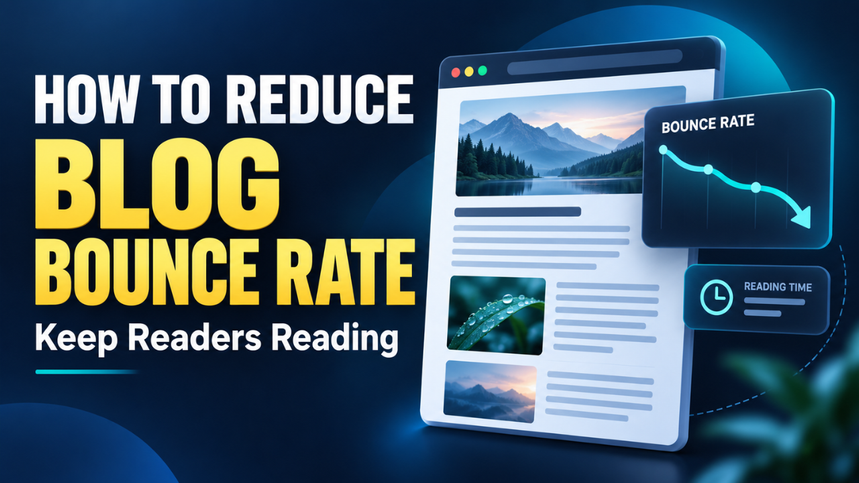
Someone clicks your blog post, waits for it to load, scans the opening, and leaves. You earned the visit, but something didn’t connect. Maybe the answer was buried. Maybe a popup blocked the screen. Or maybe your headline promised something the page didn’t deliver.
That’s frustrating, especially when you’ve already put effort into attracting readers. But learning how to reduce blog bounce rate starts with understanding what visitors need when they arrive.
The goal isn’t to keep people clicking forever. It’s to help the right readers find useful answers, enjoy the experience, and see a clear reason to explore further.
Often, a few thoughtful changes can help more than adding another thousand words.
Table of Contents
- Understand What Bounce Rate Actually Measures
- Find the Pages Where Readers Lose Interest
- Match Your Content to the Click
- Give Readers Something Useful Immediately
- Speed Up Your Blog and Make It Mobile-Friendly
- Format Posts for Comfortable Reading
- Add Internal Links That Answer the Next Question
- Remove Interruptions and Build Trust
- Measure Progress Without Chasing a Perfect Number
- Start With One Page and One Clear Fix
Understand What Bounce Rate Actually Measures
Before changing your blog, check what your analytics tool means by a bounce. Older advice often describes it as someone visiting one page and leaving. That definition doesn’t accurately describe Google Analytics 4.
In GA4, bounce rate measures the percentage of sessions that weren’t engaged. By default, an engaged session lasts longer than 10 seconds, includes a key event, or contains at least two page or screen views. Google explains these criteria in its engagement rate and bounce rate documentation.
A visitor can therefore read one post and leave without counting as a bounce.
This matters because a single-page visit isn’t automatically a failure. Someone searching for a cooking temperature might find the answer, use it, and close the tab. Your blog did its job.
Read bounce rate alongside engagement time, relevant actions, and the purpose of the page. One number rarely tells the whole story.
Find the Pages Where Readers Lose Interest
Your sitewide average is a starting point, but it won’t tell you what to fix.
Look at landing pages—the pages where visits begin—and compare their bounce rates, session counts, and engagement. Focus first on posts receiving meaningful traffic. A page with nine visits doesn’t provide much evidence.
Then compare similar content. A quick definition and a detailed buying guide serve different needs, so expecting identical behavior makes little sense.
Break the results down by device and traffic source, too. If mobile visitors leave a popular tutorial much faster than desktop visitors, inspect the mobile experience. If one social campaign brings unusually weak engagement, its message may attract the wrong audience.
Choose a few pages where traffic is substantial and engagement looks weak. That gives you a manageable place to start.
Match Your Content to the Click
Readers arrive with expectations shaped by your title, search description, or social post. When the page doesn’t match those expectations, leaving is a reasonable response.
Imagine clicking “How to Start a Food Blog on a Small Budget.” You expect affordable setup choices and realistic costs. Instead, the page opens with expensive equipment recommendations and a long discussion of branding.
The topic is related. The answer still misses the need.
Check whether each post delivers what its headline promises. A tutorial should explain the steps. A comparison should show meaningful differences. A troubleshooting post should help readers identify and solve the problem.
Specific titles help attract suitable visitors. “Blogging Tips” is vague, while “Blogging Tips for Your First Three Months” sets clearer expectations.
If you use Google Search Console, review the queries bringing readers to the page. They can reveal questions your introduction or main sections haven’t answered clearly.
Give Readers Something Useful Immediately
The opening screen should reassure visitors that they’ve landed in the right place.
You don’t need to explain that blogging is popular or that attention spans are short. Readers already have a problem. Start close to it.
For a post about slow WordPress websites, a useful opening might identify oversized images, heavy plugins, and weak hosting as areas to investigate. That gives people direction before they scroll.
A short answer near the top can work especially well for a focused question. Follow it with details, examples, and exceptions for readers who need more.
Don’t hide the answer to force longer visits. That creates frustration.
For longer guides, include a table of contents with working jump links. Someone who already understands the basics should be able to reach the relevant section quickly. Helping readers skip ahead makes your content easier to use.
Speed Up Your Blog and Make It Mobile-Friendly
A helpful post can still lose readers if the page feels slow or awkward.
Open your blog on a phone using mobile data. Can you see useful text quickly? Does an image push the introduction far down the screen? Does the layout jump while you’re trying to tap a link?
These checks reveal problems that are easy to miss on a large monitor.
Use PageSpeed Insights to investigate loading issues. One useful measurement is Largest Contentful Paint, which tracks when the largest visible image or text block appears. Google’s web performance guidance recommends an LCP of 2.5 seconds or less at the 75th percentile of page loads.
Practical fixes include resizing oversized images, compressing files, removing unnecessary scripts, and reviewing plugins that add heavy features.
Reserve space for images and ads so content doesn’t shift unexpectedly. On mobile, make sure menus, consent controls, and subscription banners leave enough room to read.
Fix the obvious obstacles before chasing a perfect speed score.
Format Posts for Comfortable Reading
A dense wall of text makes useful information look like hard work.
Break paragraphs where the idea changes. Use descriptive headings that help someone understand the page while scanning. Keep sentences clear, but vary their length so the post still sounds natural.
Compare “Important Considerations” with “Check Whether Your Theme Slows Down Mobile Pages.” The second heading tells readers exactly what they’ll find.
Use lists when they simplify steps or options. Use tables when readers need to compare details. Neither format should replace explanation that needs context.
Visuals should earn their space. A screenshot showing a setting can save several paragraphs. A decorative image between every section may simply create more scrolling.
Also check font size, text contrast, and line spacing on a real phone. Reading should feel comfortable without zooming or squinting.
Add Internal Links That Answer the Next Question
Good internal links help readers continue naturally.
Suppose your post explains how to plan blog content. When you mention publishing schedules, link to a guide about creating an editorial calendar. That connection solves a likely next problem.
A random link to an unrelated popular post doesn’t offer the same value.
Use descriptive anchor text so readers understand the destination. “Create a blog editorial calendar” gives more direction than “click here.”
Place links where the related question comes up. Don’t rely entirely on a group of recommended posts at the bottom, where many visitors may never reach them.
Keep recommendations selective. One relevant next step can be more helpful than twelve loosely connected options.
Most importantly, let the current page answer its main question. Internal links should add useful depth rather than make readers visit three pages to understand one basic point.
Remove Interruptions and Build Trust
Let’s be honest: some blogs ask for too much before giving anything back.
A visitor arrives and immediately faces a newsletter popup, notification request, floating video, and sticky advertisement. The content becomes something they have to uncover.
Review every interruption from a new reader’s perspective. If you use a subscription prompt, give people time to experience the page first. Make it easy to dismiss and check that it behaves properly on small screens.
Trust matters once readers reach the content, too. Broken links, outdated screenshots, unsupported claims, and misleading buttons can make a helpful post feel unreliable.
Use clear author information where relevant. Support factual claims with credible sources, and update instructions when the underlying process changes.
A calm, dependable page gives visitors fewer reasons to doubt what they’re reading.
Measure Progress Without Chasing a Perfect Number
There’s no single bounce rate every blog should aim for. Different audiences, page purposes, and traffic sources produce different behavior.
Compare a page against its own earlier performance and against similar pages on your site.
Keep a simple record of changes. If you shorten an introduction, improve mobile spacing, and add a relevant internal link, note when those updates went live. Review results after enough visits have accumulated to make the comparison useful.
Avoid drawing conclusions from a handful of sessions. Check whether changes in traffic sources or seasonal interest could explain the difference.
Watch outcomes alongside bounce rate. Are readers spending time with the content? Are they visiting relevant guides or completing useful actions?
Also check tracking if the number changes suddenly. Duplicate analytics tags or overly broad key-event settings can make engagement look stronger without improving the experience.
Start With One Page and One Clear Fix
You don’t need to redesign your entire blog this week. Start with one well-visited post that isn’t engaging readers as expected.
Open it on your phone. Compare its title with the answer it delivers. Remove the biggest obstacle, whether that’s a slow image, a vague introduction, or an intrusive popup.
Then review what happens and apply what you learn to similar posts. Reducing blog bounce rate becomes more manageable when each change helps a real person read, understand, or take a useful next step.