
Starting a blog sounds simple until you open WordPress and face a dashboard full of choices. Themes, plugins, settings, categories—suddenly, sharing what you know feels like managing a small software project.
It doesn’t have to be that complicated.
WordPress blogging gives you a flexible home for your ideas, whether you want to share recipes, explain technology, or support a small business. The trick is knowing which decisions deserve your attention and which can wait.
You don’t need a perfect website on launch day. You need a clear purpose, a site people can comfortably read, and useful posts that give them a reason to return.
Table of Contents
- Choose the Right WordPress Setup
- Give Your Blog a Clear Purpose
- Get the Basics in Place
- Choose a Design That Makes Reading Easy
- Learn the Editor Without Overcomplicating It
- Publish Posts That Solve Real Problems
- Make Your Content Easier to Find
- Build a Reason for Readers to Return
- Keep Your Blog Healthy
- Grow at a Pace You Can Maintain
Choose the Right WordPress Setup
Before choosing colors or buying a domain, understand the difference between WordPress.com and WordPress.org.
WordPress.com provides WordPress with managed hosting included. WordPress.org is where you can get the free WordPress software to use with a hosting provider you choose. Both use the same core software, but the hosting arrangement changes how much technical work you handle. The official platform comparison explains these differences.
If you’d prefer someone else to handle much of the upkeep, a managed service may suit you. Self-hosted WordPress offers more choice over your hosting environment, though your responsibilities depend on what your provider includes.
Look beyond the starting price. Check renewal costs, backup arrangements, support availability, and any limits that could affect your plans.
Neither route makes a blog successful by itself. Choose the setup you can afford and feel comfortable maintaining.
Give Your Blog a Clear Purpose
A broad topic gives you plenty to discuss, but it can leave readers unsure why they should follow you.
“Food” is a subject. “Affordable evening meals for busy families” gives a blog direction.
That focus helps you decide what belongs on the site. A reader who enjoys your quick pasta recipe might also want a weekly shopping guide. An unrelated post about gaming laptops probably won’t interest them.
Try describing your blog in one sentence: who it helps and what it helps them do.
You don’t need to lock yourself into a tiny subject forever. Start with enough focus that your first ten posts feel connected. You can expand once you understand which questions your readers keep asking.
Get the Basics in Place
Your domain is your blog’s address. Hosting provides the space and resources that keep the website available online.
Choose a domain that’s easy to say, spell, and remember. Avoid awkward strings of keywords or a name so narrow that you’ll outgrow it after a few months.
Once WordPress is installed, set your site title and check the basic settings. Create an About page that explains who the blog serves and a Contact page with a working way to reach you. WordPress’s getting started guide covers these early dashboard tasks.
Keep navigation simple. A new visitor should quickly find your main topics, recent posts, and information about you.
Then visit your website while logged out. Remove sample content, test the menu, and check that your contact method works. Small unfinished details can make an otherwise useful blog feel neglected.
Choose a Design That Makes Reading Easy
A theme controls much of your blog’s appearance. It’s tempting to choose the one with the most impressive demo, but a good demo doesn’t always make a comfortable reading experience.
Look at the article layout first.
Is the text large enough? Do headings stand out? Can you read a full paragraph on your phone without zooming? Does the menu behave properly?
For most new blogs, a clean layout with a limited color palette is enough. You can add personality through your images, examples, and choice of topics.
Plugins add extra features, but install them for specific needs. Before adding one, check whether WordPress, your theme, or your hosting already provides the function.
A blog rarely improves because it has more moving parts. Every addition should earn its place.
Learn the Editor Without Overcomplicating It
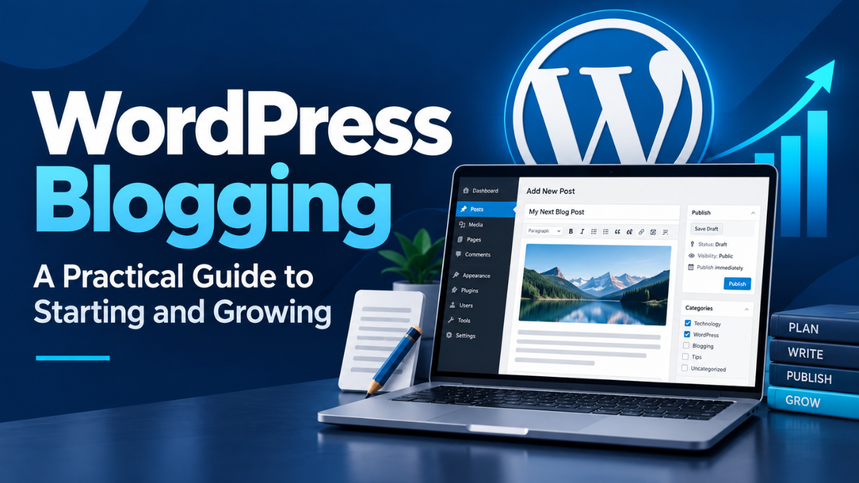
The WordPress block editor lets you build posts using individual blocks for paragraphs, headings, images, lists, and other content. You can move and adjust these elements without building the page from scratch. The official block editor documentation explains the controls.
Start with the basics. Most blog posts need paragraphs, clear headings, a few relevant images, and occasional lists.
Use posts for your regular articles and pages for information such as About and Contact.
Organize posts into a small number of useful categories. A gardening blog might begin with Indoor Plants, Vegetable Growing, and Garden Care. Avoid creating a new category for every post.
Before publishing, preview the page on different screen sizes. A layout that looks balanced on a desktop can feel crowded on a phone, especially when images or tables are involved.
Publish Posts That Solve Real Problems
A useful post starts with a question someone actually needs answered.
Imagine a reader searching for help because their balcony plants keep dying. They probably want to know about sunlight, watering, drainage, and suitable plants. They don’t need several paragraphs explaining that gardening is a popular hobby.
Get to the problem early.
Specific examples make advice easier to use. Instead of saying “water carefully,” explain how someone can check whether the soil is still damp before adding more water.
Let’s be honest: many blog posts repeat advice that readers already know. Details are where you can offer something better. Mention the awkward corner case, the common mistake, or the situation where your suggestion won’t work.
If you describe personal experience, keep it truthful. You can still explain a topic clearly without claiming you’ve tested something you haven’t.
Make Your Content Easier to Find
Search engine optimization starts with making the subject of each page clear.
Give every post a descriptive title. “How to Grow Basil on a Sunny Windowsill” tells readers more than “My Amazing Gardening Discovery.” Keep the web address readable, too.
Use headings to organize related questions. Include your main topic naturally, without forcing the same phrase into every section.
Link to other posts when they help someone take the next step. A beginner’s basil guide could point to an explanation of drainage problems. That connection gives the reader somewhere useful to go.
Treat images with the same care. Use suitable file sizes and meaningful descriptions for informative images.
An SEO plugin can help manage certain settings, but it can’t guarantee rankings. Useful information, a working website, and realistic expectations matter more than chasing a perfect plugin score.
Build a Reason for Readers to Return
A visitor can enjoy your post and still forget your website ten minutes later. Give them an easy next step.
That might be a related guide, an email subscription, or a question they can answer in the comments. Keep the invitation connected to what they came for.
For example, someone reading about budget meals may welcome a simple weekly meal plan. A vague “subscribe for updates” message gives them less reason to act.
Choose a promotion channel you can participate in consistently. Share advice where your intended readers already gather, and add context when you share a link.
Pay attention to responses. If several people ask the same follow-up question, you’ve found a useful topic for another post.
Keep Your Blog Healthy
Blog maintenance is easy to postpone because it rarely feels urgent—until something breaks.
Keep WordPress, themes, and plugins updated, and understand which updates your hosting provider handles. Remove tools you no longer use, protect your accounts, and check important features after changes.
Backups deserve particular attention. A complete WordPress recovery generally requires both the site’s files and its database, as explained in the official backup guidance. Know where your backups are stored and how you would restore one.
Check your published content as well. Broken links, outdated instructions, and missing images can quietly make helpful posts frustrating to use.
You don’t need to inspect everything daily. Set aside a regular maintenance window, and deal with small problems before they become a weekend-long rescue job.
Grow at a Pace You Can Maintain
Publishing every day sounds productive, but it’s a poor target if it leaves you exhausted after two weeks.
Choose a schedule that fits your life. One useful post each week can be a sensible starting point. Leave time to answer readers, improve older pages, and learn what people find valuable.
Measure progress against your purpose. A business blog might care about relevant inquiries. A hobby blog might value returning readers and thoughtful conversations. Traffic alone doesn’t tell the whole story.
If you eventually want income, connect it to your audience’s needs. Services, products, or relevant recommendations work best when they support the reason people visit.
WordPress blogging becomes more manageable when you stop treating every available feature as a requirement. Build a comfortable place to read, answer real questions, and keep showing up. Your blog can grow from there, one useful page at a time.