
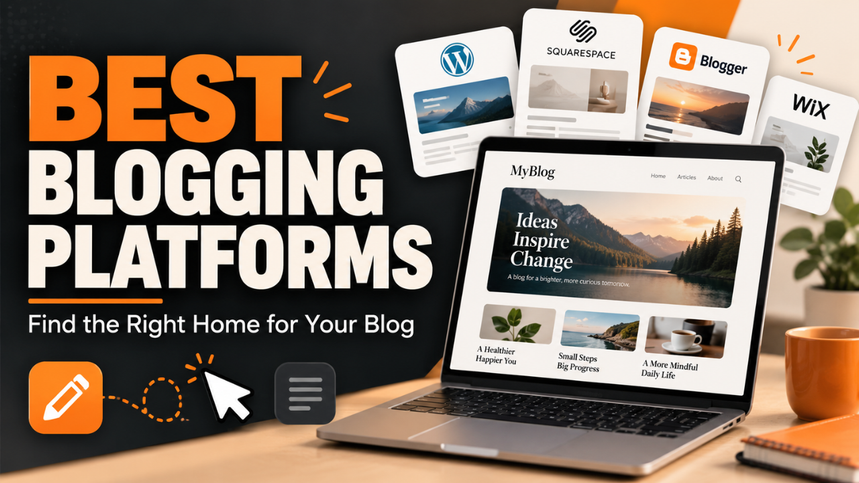
Picking a blogging platform feels simple until you start comparing them. One promises an easy setup. Another offers endless design options. A third lets you publish for free, but you’re unsure what happens when your blog grows.
The trouble is that you’re choosing more than somewhere to put your posts. You’re choosing how much control you’ll have, what you’ll pay, and how much time you’ll spend managing the website.
A personal journal doesn’t need the same setup as a blog built around product reviews or paid subscriptions. That’s why the best blogging platforms make more sense when you match them to a clear goal.
Here’s how the main options fit different kinds of bloggers, along with the tradeoffs that deserve your attention.
Table of Contents
- What Do You Actually Need From a Blogging Platform?
- WordPress.org for Flexibility and Long-Term Growth
- WordPress.com for Managed WordPress Hosting
- Wix for a Straightforward Business Blog
- Squarespace for Blogs Where Design Matters
- Ghost for Independent Publications
- Substack for Newsletter-Led Blogging
- Look Beyond the Starting Price
- Check What Happens When You Want to Move
- Choosing a Platform You’ll Enjoy Using
What Do You Actually Need From a Blogging Platform?
Before comparing features, picture your blog a year from now.
Maybe you want to publish weekend recipes and share them with friends. Perhaps you’re building a technology blog with detailed reviews, comparison pages, and advertising. Or you want readers to pay for a weekly newsletter.
Those are different projects.
For a simple personal blog, an easy editor and a comfortable price may be enough. A business blog might need service pages, contact forms, and room to expand. A subscription publication needs a reliable way to collect subscribers and deliver content.
Also, be honest about maintenance. Some people enjoy adjusting layouts and testing plugins. Others want to open an editor, publish a post, and get on with their day.
Neither approach is wrong. The mistake is choosing a platform that asks you to do work you already know you dislike.
WordPress.org for Flexibility and Long-Term Growth
Self-hosted WordPress is my strongest starting recommendation for bloggers who want a flexible website they can keep developing.
WordPress.org provides the software, while you arrange hosting separately. Its publishing tools support drafts, scheduling, and revisions, and plugins can add features such as stores, newsletters, and analytics. WordPress’s feature overview explains the core tools.
That flexibility becomes useful when your plans change.
Imagine starting a gardening blog with basic how-to posts. Later, you want a searchable plant directory, downloadable guides, and a small shop. WordPress gives you room to build those additions without immediately needing a different platform.
The tradeoff is responsibility. Someone needs to manage updates, backups, security, and compatibility. A managed hosting provider can handle parts of that work, but the exact service depends on the host.
Keep the setup lean. Every extra plugin adds another thing to maintain. A clear layout and a few useful features usually serve a new blog better than a dashboard full of tools.
WordPress.com for Managed WordPress Hosting
WordPress.com and WordPress.org use the same underlying software, but the hosting arrangement differs.
With WordPress.com, hosting comes with the service. With self-hosted WordPress, you choose a separate hosting provider. That distinction matters more than the similar names suggest. WordPress.com’s comparison guide explains the difference.
WordPress.com is worth considering if you like WordPress but want fewer hosting decisions on your plate.
For example, a teacher publishing classroom resources may prefer a managed setup to researching server plans and backup services. The blog still needs thoughtful organization, but the hosting side becomes simpler.
Check the current plan details before committing. Make sure the plan supports the specific features you expect to use, and compare its renewal cost with a suitable managed WordPress host.
Convenience has value. Just make sure you’re paying for convenience that helps you, rather than a collection of features you won’t touch.
Wix for a Straightforward Business Blog
Wix makes sense when your blog supports a broader website.
Think of a local photographer who needs a portfolio, an about page, contact details, and occasional posts answering customer questions. The blog matters, but it isn’t the entire business.
Wix combines a visual website builder with blogging, analytics, and built-in marketing tools. Its free option lets you explore the platform, while connecting a custom domain and removing platform ads requires an upgrade. Wix’s website overview outlines those limits.
The appeal is practical: you can work on the website’s appearance without starting with code.
Still, visual freedom can become a distraction. It’s easy to spend an afternoon moving a button while your service information remains unfinished.
I’d shortlist Wix for a small business owner who wants to manage their own site and publish helpful posts regularly. Before choosing it for a larger publication, test how comfortably you can organize categories, navigate older posts, and handle everyday editing.
Squarespace for Blogs Where Design Matters
Squarespace deserves a look when the appearance of your website plays a big role in how readers judge your work.
A food photographer, interior designer, or travel writer may want images and articles to feel like parts of one coherent site. For those projects, the layout matters almost as much as the text.
Squarespace includes blog pages with categories, tags, excerpts, and comments. Its blogging tools also support paywalls for restricted content. Squarespace’s blogging guide describes these options.
My preference would be to test it with real material before choosing a template. Add a long headline, several portrait photos, and a post with multiple sections.
Demo websites tend to look beautiful because every image and sentence fits perfectly. Your content won’t always cooperate.
Pay particular attention to the mobile version. Comfortable text, sensible image sizes, and easy navigation matter more than a dramatic homepage effect.
Ghost for Independent Publications
Ghost is a strong option when your main product is the publication itself.
It brings together a website, email newsletters, memberships, and paid subscriptions. That makes it relevant for specialist writers and small editorial businesses that want a direct relationship with readers. Ghost’s platform overview covers these features.
Picture a writer publishing free weekly analysis alongside deeper reports for paying members. Ghost fits that model well because publishing and subscriber management sit close together.
You can use managed Ghost hosting or arrange your own installation. The managed route reduces technical work, while self-hosting requires more hands-on attention.
Check plan eligibility carefully. Ghost’s managed plans differ in features, and paid subscriptions aren’t included in every tier. Ghost’s pricing page lists the current differences.
I’d lean toward Ghost when newsletters and memberships are central to the project. If you mainly need a complex business website with a blog attached, evaluate those wider requirements first.
Substack for Newsletter-Led Blogging
Substack suits someone whose main goal is to publish regularly and build a subscriber audience.
It combines web publishing with subscriptions, making it a natural fit for personal essays, commentary, and recurring niche updates. You can start publishing free content without a monthly platform charge. Substack takes a 10% share of paid subscription revenue, with payment processing fees also applying. Substack’s feature overview and signup information explain the model.
That structure lowers the cost of trying an idea.
Suppose you want to send a weekly roundup about independent films. You can test whether readers enjoy it before taking on a recurring platform bill.
The calculation changes when paid revenue grows. A percentage fee becomes a larger expense as the publication earns more.
I’d shortlist Substack when the recurring reader relationship matters more than a highly customized website. Before committing, test the publication layout and subscriber experience against what you actually want to offer.
Look Beyond the Starting Price
A cheap starting plan doesn’t always produce a cheap blog.
Your total cost may include a domain, hosting, premium designs, email services, paid extensions, or transaction fees. Some expenses arrive immediately. Others appear when you need a feature that sits behind an upgrade.
Compare the likely annual cost of your actual setup.
For example, someone publishing a hobby blog may only need a domain and a basic plan. A membership publication could need payment tools and room for a growing email list.
Check renewal prices as well as introductory offers. Then ask whether you can comfortably keep paying if the blog earns nothing for its first year.
That question tends to cut through the sales language quickly.
Check What Happens When You Want to Move
Moving platforms may feel like a distant problem, but it’s easier to investigate before you have hundreds of posts.
Check whether you can export articles, images, and subscriber information. Find out what happens to categories, page addresses, and other content you depend on.
An export button doesn’t necessarily recreate your whole website elsewhere.
Your own domain can help preserve a consistent address, but you still need to understand redirects and content migration. Keep independent copies of valuable material, too.
A little preparation now can save a frustrating rebuild later.
Choosing a Platform You’ll Enjoy Using
For flexibility and an expanding website, I’d start by evaluating self-hosted WordPress. WordPress.com offers a managed alternative, while Wix and Squarespace deserve attention for business and visually focused sites. Ghost and Substack are especially relevant when subscribers drive the project.
Now, choose two options and give each a realistic trial. Add a complete post, upload images, adjust the navigation, and check everything on your phone.
Notice where you get stuck.
The right platform should fit your budget, support your plans, and feel manageable on an ordinary busy day. Choose the one that helps you keep publishing useful work without making every small change feel like a separate project.