

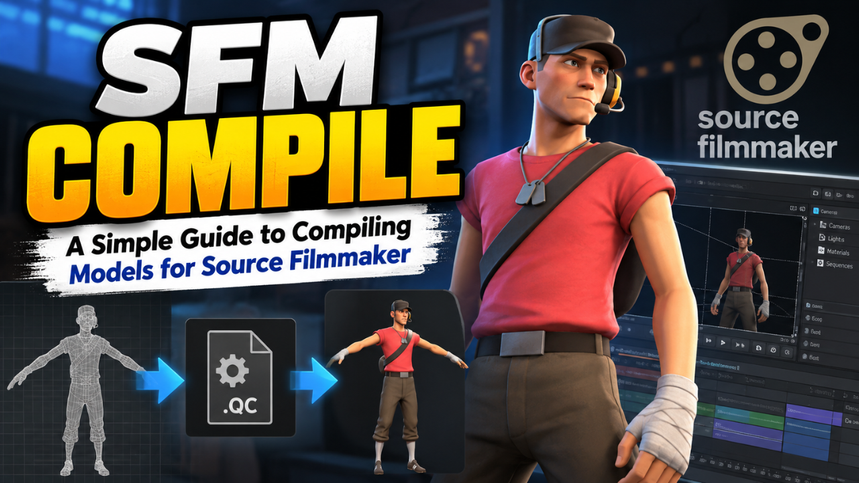
A model can look perfect in Blender and still refuse to appear in Source Filmmaker. That’s because SFM needs more than a finished mesh: it needs the right exported files, a set of compile instructions, and materials in folders the program can find.
Here, “SFM compile” means turning a custom model into a Source Engine model that Source Filmmaker can load. The process can feel fussy at first, but it becomes much easier once you know what each file does and where it belongs.
Table of Contents
- What SFM compiling actually does
- What you need before you start
- Organize the model and texture files
- Write a QC file for your model
- Compile with Crowbar
- Make the model visible in SFM
- Fix common compile problems
- Test changes one step at a time
What SFM compiling actually does
Compiling isn’t simply saving a 3D model in a different format. A modeling program exports source files—usually SMD or DMX files—and a model compiler turns them into the binary files the Source engine can read. StudioMDL is Valve’s model compiler; Crowbar provides a graphical interface for running it.
The QC file connects those pieces. It tells the compiler which mesh to use, what the finished model should be called, where to look for materials, and—when needed—which animation sequences to include. Valve’s documentation describes a QC file as the script that controls how model source files are compiled.
Think of the mesh as the ingredients and the QC file as the recipe. If the recipe points to the wrong file or folder, the compile can fail even when the mesh itself is fine.
What you need before you start
For a basic model, gather:
- A mesh exported as an SMD or DMX file
- A QC file that describes the model
- Texture files and their Source material files, if the model uses textures
- StudioMDL, or a program such as Crowbar that can run the compiler
If the model is rigged, make sure the export includes the skeleton and that the bones and weights are intact. An unrigged prop has fewer moving parts in the setup. A character with a skeleton, facial flexes, or animations needs more careful QC instructions and more source files.
It also helps to pick a short, unique model name and folder before compiling. For example, models/custom_props/desk_lamp.mdl is clearer and safer than a generic name such as lamp.mdl in a crowded shared folder.
Organize the model and texture files
Make a small working folder before compiling. Keep the QC file, mesh exports, and any animation files together so that the paths are easy to check. A simple project might look like this:
desk_lamp/
  desk_lamp.qc
  desk_lamp.smd
  desk_lamp_idle.smd
Textures need their own matching folder structure in the game content. Source models commonly use VMT material files alongside VTF texture files. If your model’s material refers to lamp_paint, for example, SFM must be able to find the corresponding material definition and texture in its loaded content folders. Valve’s SDK directory guide separates compiled models under models from VMT and VTF files under materials.
The paths you write into the QC should match that structure. A common beginner mistake is putting a full Windows path in the QC and expecting the model to work on another setup. Use organized game-relative paths and keep the folder names consistent instead.
Write a QC file for your model
A QC file is a plain-text script. You can create one in a code editor or a simple text editor, then save it with the .qc extension. For a simple, non-animated prop, a minimal starting point might look like this:
$modelname "custom_props/desk_lamp.mdl"
$body "lamp" "desk_lamp.smd"
$staticprop
$cdmaterials "models/custom_props"
Each line has a job:
- $modelname sets the model’s output name and location under the
modelsfolder. - $body points to the mesh file that contains the model’s geometry.
- $staticprop marks a model as a prop without moving parts.
- $cdmaterials points to the material folder under
materials.
The model name in $modelname is written relative to models/, so the example targets models/custom_props/desk_lamp.mdl. Valve’s QC command reference documents $modelname as the compiled model filename relative to the mod’s models directory.
A rigged or animated model needs different instructions. In particular, it needs a valid animation sequence that points to the right animation source. Don’t add $staticprop to a model that needs its bones to move; that command tells the compiler the model has no moving parts.
One practical tip: change only one path or directive at a time while debugging. If you rewrite the whole QC after every error, it becomes much harder to spot the line that caused the problem.
Compile with Crowbar
Open Crowbar, choose its compile function, and select the QC file. Check that the configured game is Source Filmmaker and that the compiler path points to SFM’s model compiler. Crowbar’s labels and layout can vary by version, but the key idea stays the same: it reads the QC file, runs StudioMDL, and displays the compile output.
Before starting, check the paths in the QC and confirm that every referenced SMD or DMX file exists. Then compile and read the log. A successful message is useful, but don’t ignore warnings; they may point to missing materials, a bad sequence, or a path that will cause trouble later.
The compiler creates an MDL model and companion files that go with it. Keep the output together when you install the model. Copying only the .mdl file can leave the model incomplete if its companion files are missing.
Make the model visible in SFM
The compiled output must live in a content folder that Source Filmmaker loads. Keep the directory structure intact: model files go under models, while the VMT and VTF files go under materials. A separate, clearly named folder helps keep custom files organized and reduces the chance of overwriting existing assets.
If you’ve placed the files correctly but can’t find the model, check SFM’s Model Browser settings. Clear any text filter and make sure it’s searching the loaded content folders and subfolders. A correct compile can be easy to miss when the browser is filtering by another mod or folder.
Also check that the path in $modelname matches the model’s actual location. If the QC writes to custom_props/desk_lamp.mdl, look for the result under models/custom_props/, not in a folder with an accidental duplicate such as models/models/custom_props/.
Fix common compile problems
The compiler says a file is missing. Look at the exact filename in the log. Check spelling, file extensions, and the directory Crowbar is using. A reference like desk_lamp.smd won’t find a file saved as DeskLamp.smd in another folder.
The compile succeeds, but the model has no animation. For a rigged or animated model, inspect the QC’s sequence entry and confirm that it points to a real animation file. A simple static prop doesn’t need an animation sequence; a character or moving object does.
The model appears, but its textures are missing. Check that the VMT and VTF files are present under the expected materials path. Then compare that folder with the $cdmaterials path in the QC. If the folder names don’t line up, the mesh may load while its materials do not.
The model doesn’t appear in SFM. Confirm that the output is in a folder SFM loads, that all generated model files were copied, and that the Model Browser isn’t filtering them out. Restarting SFM can help after a folder change, but first verify the paths; restarting won’t fix a mismatch in the QC.
The model is the wrong size or faces the wrong way. Check the export settings in your modeling program. Units, scale, and orientation need to be consistent between the exported mesh and the Source model setup. Recompile after correcting the export rather than trying to hide a bad export with unrelated QC changes.
Test changes one step at a time
A compile is only the start of the check. Load the model in SFM and look at it from several angles. Check its scale, materials, transparency, and—if it’s rigged—whether the bones and animations behave as expected. A model that looks fine in the viewport of a 3D program can still have a material path or animation problem inside SFM.
When something breaks, use the compile log and test one fix at a time. If the log identifies a missing file, fix the path first. If the model loads with the wrong texture, inspect the material folders. This slower, tidy approach usually beats changing several settings at once and guessing which change helped.
Once the model works, keep the QC, exported source files, and compiled output together in your project folder. That gives you a clean starting point when you need to adjust the mesh or build another version.
The key takeaway
SFM compiling gets manageable when you treat it as a chain: export the model, describe it in QC, run StudioMDL through Crowbar, then place the compiled files and materials where SFM can load them. Most frustrating errors come down to a missing file or mismatched path. Get those basics right, and you’ll spend more time animating your model and less time hunting through folders.