
A customer name, a shopping cart, a week’s sales figures. Try representing any of those with a single number or a true-or-false value, and you’ll quickly run out of room.
That’s where non primitive data types in Java become useful. They let you work with text, groups of values, and objects that bring related information together.
The part that usually trips people up is the reference. Two variables can lead to the same object, so changing something through one variable may affect what you see through another. Once that clicks, plenty of confusing Java behavior starts making sense.
Table of Contents
- What Counts as a Non Primitive Data Type?
- Primitive vs Non Primitive Types
- Strings: Working with Everyday Text
- Arrays: Several Values in One Object
- Classes: Giving Related Data a Home
- Interfaces and Collections in Real Code
- Wrapper Classes: When Numbers Need Objects
- What Happens When You Copy a Reference
- Null, Equality, and Other Common Mistakes
- Choosing the Right Type for the Job
What Counts as a Non Primitive Data Type?
“Non primitive” is a common teaching term. Java’s official term is reference type. A variable of a reference type holds a reference to an object, or null when it refers to no object.
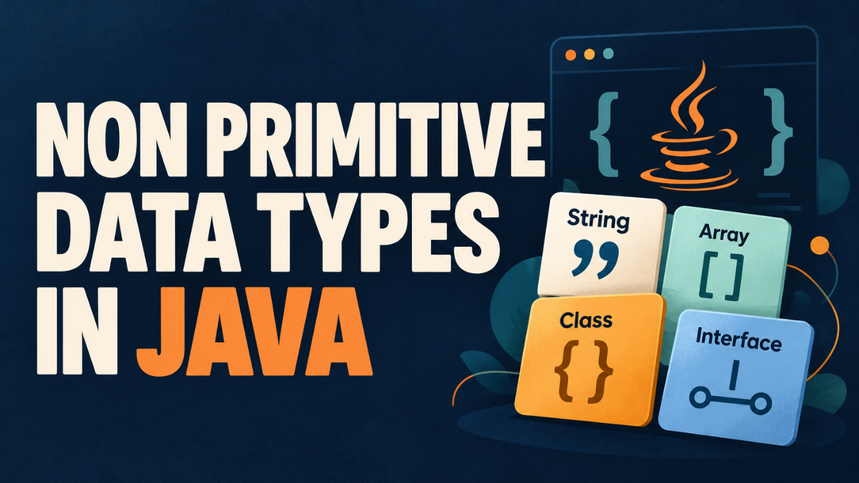
Common examples include String, arrays, classes you create yourself, and interfaces such as List. The formal categories are class types, interface types, array types, and type variables used in generics, such as T.
Here’s an everyday declaration:
String customerName = "Ahmed";String is the type, customerName is the variable, and the variable refers to a string object containing the name.
Don’t let the label suggest that every reference type is something you must build yourself. Java already supplies plenty of them.
Primitive vs Non Primitive Types
Java has eight primitive types: byte, short, int, long, float, double, char, and boolean.
The useful distinction is what the variable holds:
| Feature | Primitive types | Reference types |
|---|---|---|
| Stored value | A primitive value | An object reference or null |
| Examples | int, char, boolean | String, int[], Customer |
Can hold null? | No | Yes |
| Calling instance methods | No | Yes, on a suitable non-null object |
| Assignment | Copies the primitive value | Copies the reference |
Compare int quantity = 3; with String item = "Notebook";. One holds a number directly; the other refers to an object representing text. Both declarations are simple, but their behavior differs when you start copying variables.
Strings: Working with Everyday Text
Names, messages, addresses, and product titles usually belong in a String. It provides methods for tasks you’d otherwise have to write yourself:
String product = "  Notebook  ";
String cleaned = product.trim();

System.out.println(cleaned);          // Notebook
System.out.println(cleaned.length()); // 8
Imagine processing names entered through a registration form. Someone adds spaces before their name. Calling trim() removes leading and trailing characters with values up to U+0020, including ordinary spaces. The newer strip() method handles a broader range of whitespace.
There’s one rule to remember: strings are immutable. You can’t change an existing string object’s contents. Methods such as trim() return a result; they don’t edit the original text.
That means product.trim(); alone leaves product referring to its original string. Assign the result when you need to keep it.
Arrays: Several Values in One Object
An array holds a fixed number of elements with one declared component type. It’s useful when you know how many positions you need, such as seven daily sales totals.
int[] dailyOrders = {12, 18, 9, 21, 16, 25, 14};

System.out.println(dailyOrders[0]);     // 12
System.out.println(dailyOrders.length); // 7
Here’s a detail beginners often miss: int is primitive, but int[] is a reference type. The array is an object even though its elements hold primitive values.
Positions start at zero. For this array, the final valid index is six. Trying to access index seven throws an ArrayIndexOutOfBoundsException.
You can replace an element, but you can’t resize that particular array object. If the number of entries changes regularly, a resizable collection may fit better.
Classes: Giving Related Data a Home
Suppose you’re building a small bookstore application. Keeping book titles and stock counts in separate arrays soon gets awkward. Remove one title without updating the other array, and the information slips out of sync.
A class lets you keep those details together:
class Book {
    String title;
    int stock;

    Book(String title, int stock) {
        this.title = title;
        this.stock = stock;
    }
}
You can then create a book inside a method:
Book book = new Book("Learning Java", 12);
System.out.println(book.title); // Learning Java
Book defines the type. new Book(...) creates an instance, and book holds a reference to it. The constructor supplies its starting values.
This example keeps the fields simple for readability. In a larger application, private fields and methods can help control changes, such as preventing stock from becoming negative.
Interfaces and Collections in Real Code
An interface defines a set of rules that any class implementing it must follow. You can declare a variable using an interface type and have it refer to an implementing object.
You’ll see this constantly with collections:
import java.util.ArrayList;
import java.util.List;

// Inside a method:
List<String> customers = new ArrayList<>();
customers.add("Ahmed");
customers.add("Bilal");
Here, List is an interface and ArrayList is the class of the object being created. String specifies the kind of element the list accepts.
This distinction matters when reading unfamiliar code: the declared type tells you which operations are available, while the implementation supplies their behavior.
Also, “collection” isn’t a separate fundamental type category. Collection interfaces and classes are reference types too.
Wrapper Classes: When Numbers Need Objects
Sometimes you need an object representation of a primitive value. Wrapper classes provide that bridge: Integer corresponds to int, Double to double, and Boolean to boolean.
For example, use List<Integer> rather than List<int>. Primitive types can’t serve as generic type arguments.
Integer orderCount = 25; // Autoboxing
int total = orderCount;  // Unboxing
Java automatically handles these conversions in many situations. Converting a primitive into its wrapper is called autoboxing; converting back is unboxing.
Be careful with missing values. An Integer can hold null, but attempting to unbox that null reference into an int throws a NullPointerException.
What Happens When You Copy a Reference
Let’s return to the mistake that causes so much confusion:
int[] original = {10, 20};
int[] shared = original;

shared[0] = 99;
System.out.println(original[0]); // 99
The assignment didn’t create a second array. Both variables refer to the same array, so the update is visible through either one.
Imagine two staff members opening the same shared spreadsheet. Giving the second person access doesn’t create a separate document. They’re working with the same thing.
For an independent copy of this primitive array, use original.clone() or Arrays.copyOf(...). With an array of objects, those operations copy the element references, so the objects themselves can still be shared.
Method calls follow a related rule: Java always passes arguments by value. For reference types, the copied value is a reference. A method can modify a shared mutable object, but assigning a different object to its parameter won’t redirect the caller’s variable.
Null, Equality, and Other Common Mistakes
A null reference means there’s no object to use. Calling an instance method through it throws a NullPointerException:
String name = null;
// name.length(); // Would throw NullPointerException
Decide what missing data means before handling it. An absent customer name might require validation, while an optional note could reasonably use an empty string.
Reference fields and reference array elements default to null. Local variables don’t receive an automatic default; you must assign them before use.
Equality deserves equal attention:
String first = new String("Java");
String second = new String("Java");

System.out.println(first == second);      // false
System.out.println(first.equals(second)); // true
With two references, == checks whether they refer to the same object. String.equals() compares text. Other classes define equality through their own implementations; the inherited Object.equals() checks identity.
Another small trap: final prevents a reference variable from being reassigned. It doesn’t automatically freeze the object. A final array can still have its elements updated.
Choosing the Right Type for the Job
Start with the information you’re representing. A count usually fits an int. Text belongs in a String. A fixed set of positions suits an array, while an ArrayList handles a changing number of entries. Related details often deserve their own class.
You don’t need to memorize a huge catalog. Learn to recognize what a variable holds, whether its object can change, and who else might share that object. Those questions turn reference types from a vocabulary exercise into something you can use confidently in everyday Java code.